

Free and open source · Active Directory
Defend every path to privilege.
Pathwarden finds the attack paths to the accounts and servers that control your Active Directory, works out the fewest changes that close them all, and tracks each one until it's fixed. It's one free program, and it runs on your own computer.
- One program for Windows
- No database, no cloud, no account
- Reads SharpHound and RustHound-CE data
- Apache 2.0 license
Illustration: a network of users, computers, groups and servers spreads across the page. Attack paths travel along it and converge on Tier Zero, shown as the Pathwarden crown, through one shared permission. A red ring marks it compromised. Pathwarden cuts that one shared link, the paths drain away, and the ring turns green: protected.
How breaches spread
One phished laptop. Three ordinary steps. The whole domain.
Attackers don't need an exploit when the directory already gives them a route. Each step below is ordinary: a group membership, an admin right, a sign-in. Together they form an attack path.
- Any employeeone phishing email
- MemberOf
- Helpdeska support group
- AdminToRemove this right
- SRV-APP-07a member server
- HasSession

 Domain AdminTier Zero
Pathwarden finds every chain like this one, counts how many accounts can use it, and works out the single change that breaks it. Here, removing one admin right leaves the Domain Admin out of reach.
How the remediation path worksWhat Pathwarden does
Close the paths. Keep them closed.
Free, open source, and it runs on your own computer.
-
Finds the attack paths
Group memberships, permissions, logons, delegation, Group Policy, trusts, AD CS and Entra ID hybrid paths*, each with a count of the users and computers that can use it.
-
Helps you fix what matters most
The remediation path is the smallest set of changes that closes every path, most effective first. Every rule has a step-by-step guide with PowerShell, a way to verify the fix and a rollback.
-
Retests to prove it's fixed
Retest a finding in seconds, or against a fresh collection, and get Fixed, Still open or Can't tell. When the data can't prove it, the answer is Can't tell. Hand auditors a signed evidence pack they can verify themselves.
-
Monitors so it stays fixed
Scheduled runs track new, fixed and back findings and chart the accounts with a path and Tier Zero protected over time. Export to SARIF and DefectDojo*; plugins keep ServiceNow* or Jira* tickets in sync. Share the history with your team in a git repository*, and open each other's runs.
Defenders think in lists.Attackers think in graphs.
Pathwarden follows the graph as an attacker does, then lists the few changes that cut the most paths.
Made for everyone who defends Active Directory
Start with your role
Securing Active Directory takes more than one team. Pick your role to see the workflow and articles that matter to you.
Defensive engineers
Find, prioritize, fix, retest and schedule. Turn a pile of findings into a short plan.
Your workflowIdentity and access engineers
Tier Zero hygiene, delegation, permissions, AD CS and Entra ID hybrid paths.
Your workflowAuditors
Signed evidence of remediation, history and trends, and accepted risks with reasons and dates.
Your workflowOffensive operators
Turn the paths from an authorized test into fixes your client can make, then validate them afterward.
Your workflowLeadership
What attack paths mean for the business, the number to watch, and what to ask your team.
The briefingExplore
Walk every path the way an attacker would
Open any run in the app and step through its findings, each path drawn from where an attacker starts to Tier Zero. Click any object to see its relationships and every account that can reach it.
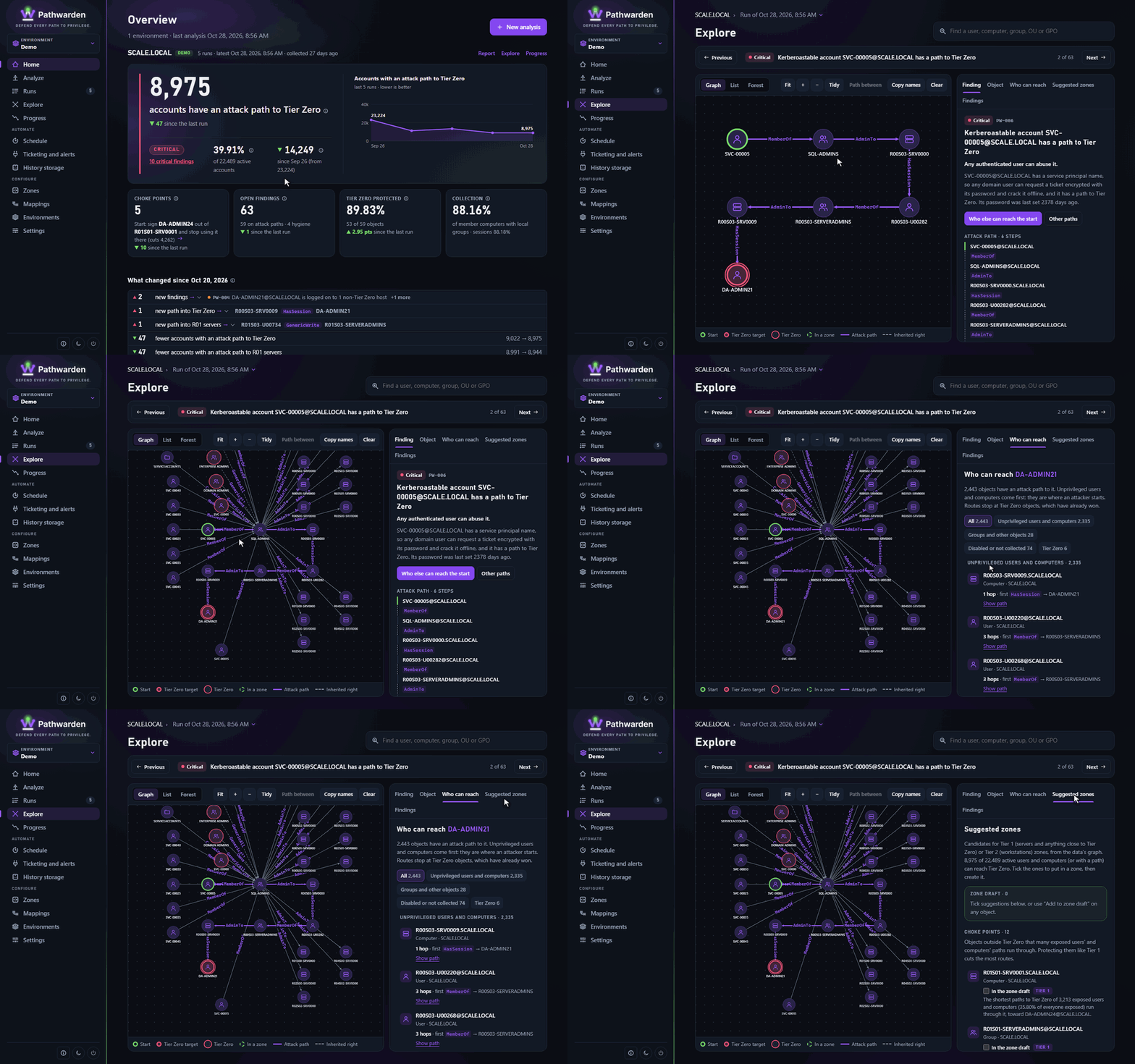
- Findings, one by one, with the path laid out left to right.
- Who can reach this, for any user, computer, group, OU or GPO, unprivileged accounts first.
- Suggested zones: objects outside Tier Zero that many attack paths cross, and that deserve a Tier 1 or Tier 2 zone, with the reason.
Try the demo in two minutes
No domain needed. A whole company is built in.
Pathwarden ships with a synthetic enterprise of 10,000 computers and 15,000 users, with well-run, average and messy regions, so you can see realistic findings before you touch your own directory.
Get Pathwarden
One executable. Download or build it.
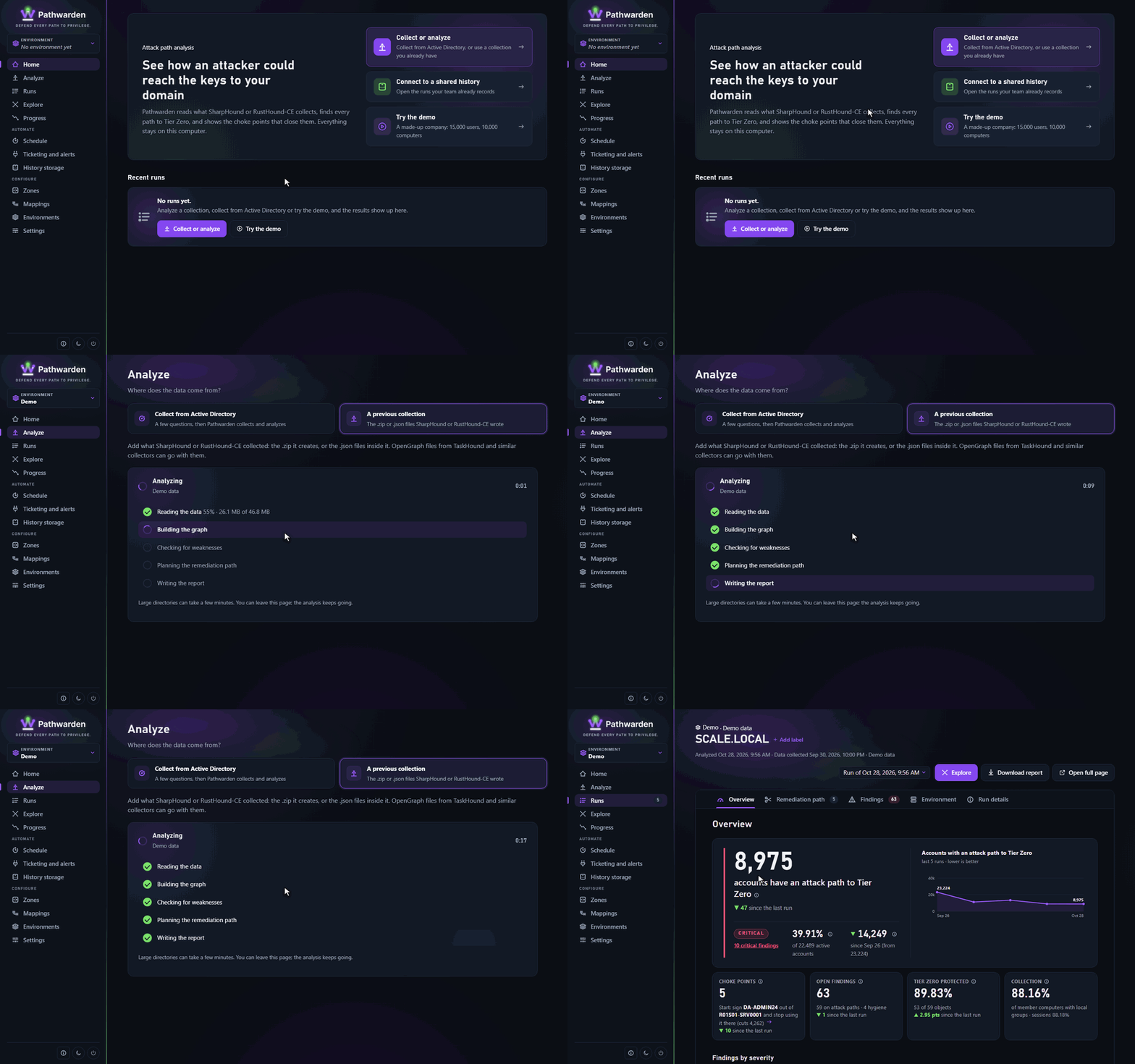
Open the app
Run
pathwarden uiand click Try the demo.Read the report
Exposure, the remediation path and every finding, with its path drawn.
Prefer the command line? pathwarden demo -o demo-report.html writes the report and shows what to try next. Or open the sample report right now.
The report
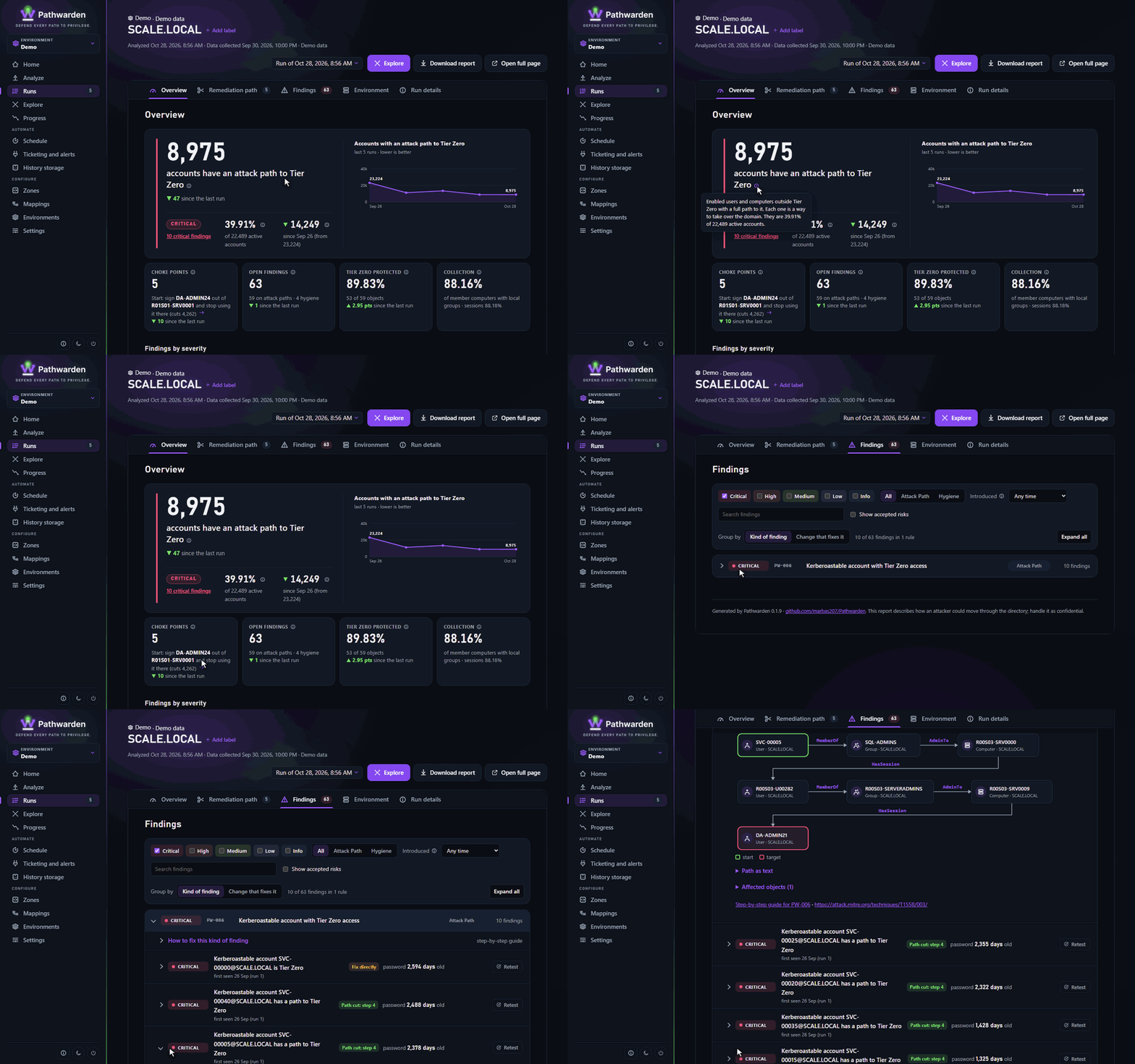
Everything in one file you can email
A single self-contained HTML report, dark or light, that works on a phone and prints cleanly.
- Overview: how many users and computers can reach Tier Zero, findings by severity, the plan steps and the first step.
- Remediation path: the fewest changes that cut every path, each linked to the findings it closes.
- Findings: grouped by rule, each with its attack path diagram, the affected objects and a step-by-step guide.
- Collection: Privilege Zones, collection completeness, trusts and data sources.
Private by design
Your directory map goes only where you put it
A collection of Active Directory is a map of your domain for an attacker. Pathwarden treats it that way.
- Runs where you run it. The app listens on 127.0.0.1 only, behind a one-time link. On Windows, the full release can open it in its own desktop window*, with no network port at all.
- Shares history only where you choose. Run history lives in a folder or a git repository you pick. It keeps finding titles, which name accounts. Full runs are optional, and a passphrase can encrypt it all.
- Treats input as hostile. Object names are attacker-controlled, so they're escaped everywhere, and archives are checked for zip bombs before they're opened.
- Deletes uploads as soon as the analysis finishes.
# collect as yourself: read-only LDAP to a DC
PS> pathwarden collect --domain scale.local --out .\collect
# the headline numbers
PS> pathwarden posture -i .\collect
# the fewest changes that close every path
PS> pathwarden plan -i .\collect
# one file to share
PS> pathwarden report -i .\collect -o report.html
Very new and undergoing testing. These features haven't received a lot of testing yet. Try them out and let us know what's working.